As an Amazon Associate, we earn from qualifying purchases. This post contains affiliate links – if you buy through them, we may earn a commission at no extra cost to you. There’s no single best fingerprint time clock for small business, because every workspace runs on different habits and rules. What works depends on your shift styles, how you manage your payroll data, and whether you prefer an open platform or a managed service.
These units vary in user storage limits, software rules, and network options rather than simple mechanical quality. If you want full control over shift policies with lifetime basic access, the NGTeco Cloud Time Clock gives you room to breathe. If you prefer automated payroll support with full-service management, the uAttend JR2000 handles those duties directly.
1. NGTeco Cloud Time Clock

Best for: Businesses running complex shifts that need lifetime core tracking access.
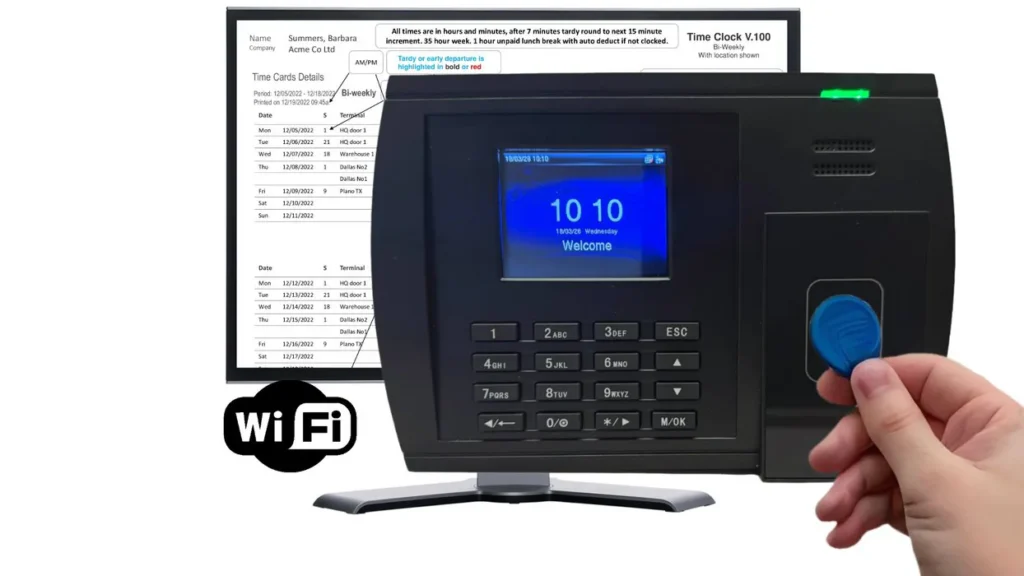
Workplaces with non-standard hours often struggle to track team hours accurately without making manual entry mistakes. This system supports fixed, rotating, split, and open shifts, which lets you match schedules across mixed teams. It uses AWS US servers with end-to-end encryption to guard your logs while you check hours from any standard web browser. If your internet goes down, the terminal records up to 30,000 punches offline and syncs them once your local LAN or 2.4GHz WiFi comes back.
The terminal holds up to 200 users and calculates dual overtime rates like OT1 and OT2. You get lifetime free access to core calculations and reports, but features like GPS mobile punching demand a separate TimeEntrix subscription. Because of this boundary, managers who want built-in phone check-ins without extra software layers will need to weigh that addition.
Good if:
- You run overnight, rotating, or split shifts across different departments.
- You want US-based weekday technical phone support with hardware coverage.
- You have staff that speak English, Spanish, French, or other supported languages.
Skip it if:
- You need all mobile-app features included without an extra paid service tier.
- You employ more than 200 individual workers at your physical facility.
2. uAttend JR2000 Biometric Fingerprint

Best for: Owners wanting an all-in-one system with hands-off payroll support.
Growing businesses frequently lose valuable administrative hours moving raw punch logs into external tax filing programs. The JR2000 pairs biometric touch scanning, RFID access, and PIN entry with a cloud system built for end-to-end labor tracking. Its interface lets you view real-time records from any web device to catch attendance trends immediately.
The software package can automate payroll processes and manage tax filings directly. This workflow requires an ongoing subscription service to keep cloud tools, remote viewing, and system backups active. Because the terminal relies entirely on this subscription model for its feature set, it isn’t for buyers who want an independent, subscription-free tracking machine.
Good if:
- You want payroll processing and tax filing managed within one cloud service.
- You need multiple entry methods including biometrics, badges, and personal PINs.
- You like having automatic cloud backups so punch records remain secure off-site.
Skip it if:
- You refuse to pay recurring monthly service fees to run your hardware.
- You want an offline punch machine that operates entirely without a cloud account.
3. ANVIZ Time Clocks

Best for: Single-location shops needing long records and three standard daily shifts.
Small operations with high log turnover need reliable local capacity so records don’t erase unexpectedly during busy seasons. The W1 stores up to 500 users and 50,000 transaction logs, overwriting the oldest entries once memory fills completely. Its cloud system is free for one administrator using one physical device, which covers standard tracking needs without extra software overhead.
The terminal handles three basic shifts, including overnight work, and exports punch data directly for external tools like QuickBooks. It includes a three-year hardware guarantee and two backup RFID cards in the packaging. However, teams that run four or more distinct split shifts will find the three-shift configuration too restrictive.
Good if:
- You want a large internal memory capacity that holds up to 500 individual users.
- You operate with one terminal and one administrator managing daily work hours.
- You prefer exporting attendance sheets directly into QuickBooks accounting software.
Skip it if:
- You have a multi-admin setup that requires diverse managerial permissions.
- You need more than three distinct shifts active inside the basic interface.
Where These Overlap
Every unit in this lineup uses biometric fingerprint scanning alongside PIN codes to prevent buddy punching. Each system features a cloud-linked dashboard, letting managers inspect clock-in data from any web browser instead of collecting records by hand.
The real separation comes down to your operational needs. Use the ANVIZ W1 if you need a free, simple setup for a solo administrator and basic shifts. Choose the NGTeco TC1 if your business requires complex, customizable overtime rules and dual pay grades to handle diverse compensation policies.
If your goal is to reduce administrative work, the uAttend JR2000 is the better choice. It integrates payroll tasks and tax filings directly into the attendance data. Choosing the right system depends on whether you need simple tracking or an automated, all-in-one payroll solution.
Still Not Sure?
How complex are your weekly employee work shifts?
If your team works split shifts, open hours, or tiered overtime, basic machines will create payroll errors. The NGTeco Cloud Time Clock manages rotating hours and custom OT rules across multiple departments directly from its browser platform.
Do you want your attendance system to manage payroll taxes?
If you hate exporting spreadsheets and calculating deductions manually, you need software that closes the gap. The uAttend JR2000 pairs hardware punches with cloud tools that automate labor calculations and direct tax filings.
Will your business expand past one administrative user?
If your shop only has one manager who handles scheduling, paying for multi-user software is unnecessary. The ANVIZ W1 provides free remote tracking tailored specifically for a single device and a sole system administrator.
For operations that track hourly staff, following proper wage records under the U.S. Department of Labor recordkeeping regulations ensures accurate hours and compliance. If you prefer simple, independent time cards, the Acroprint Biometric Fingerprint/Proximity Time Clock offers a self-contained setup. The ANVIZ Time Clocks Small Business terminal provides immediate functionality with no software requirements, while Pyramid Time delivers proven terminal tracking for standard environments.
Related guides
- Best Time Clock Software for Small Business 2026: Top Picks Reviewed
- Best Time Clock App for Employees 2026: Top Picks for Accurate Tracking
- Best App for Employee Time Clock 2026: Top Picks for Accurate Tracking
Frequently Asked Questions
What happens if the workplace internet goes offline?
The terminals keep functioning locally and save employee punch events directly to internal memory. Once the network connection comes back, the machines automatically push the stored attendance logs to your connected cloud software without dropping entries.
When should a business upgrade to a larger unit?
You should upgrade when your total staff count exceeds the terminal’s user capacity or shift requirements. The ANVIZ W1 holds up to 500 users, giving you plenty of room to expand before hardware limits become an issue.
Would an all-in-one payroll clock fit my business better?
If you currently spend hours entering timecard spreadsheets into outside software, integrated systems save effort. The uAttend JR2000 removes those repetitive bookkeeping tasks by joining daily punch tracking directly with automated payroll and filing capabilities.
Final Thoughts
Choosing the right unit comes down to whether you need complex internal shift rules or complete payroll support. Pick the NGTeco Cloud Time Clock for detailed scheduling freedom, or select the uAttend JR2000 to automate your tax filing. Check your current employee count and select the system that matches your workflow today.