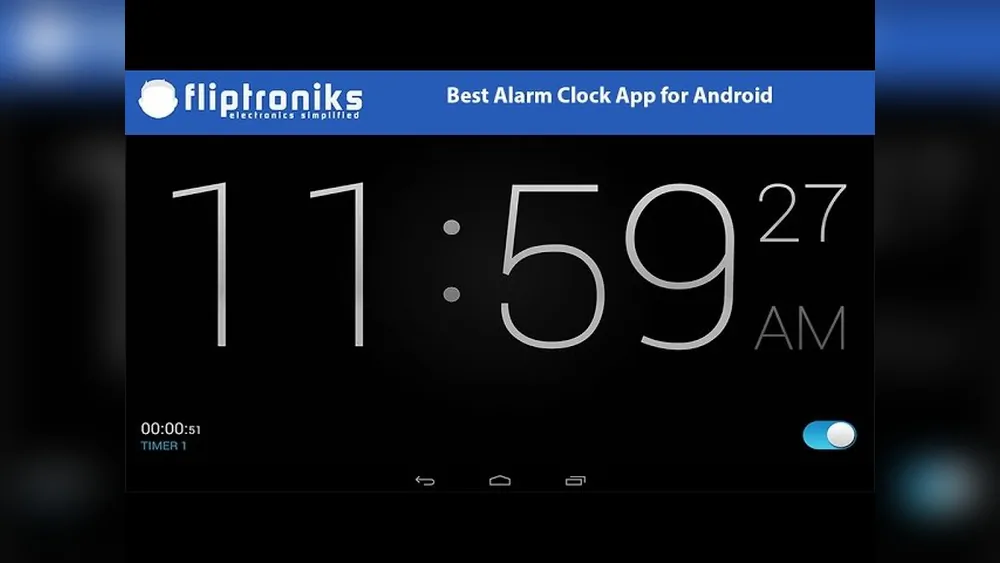
Waking up on time can change your whole day. What is the Best Alarm Clock for Android phone is their main alarm clock. But with thousands of apps in the Google Play Store, which one is best? The answer isn’t simple. The “best” alarm clock depends on your sleep habits, morning routine, and what features matter most. Some want a simple ring, others need puzzles to wake up, and many want smart features that connect to their lifestyle.
In this guide, you’ll discover how to choose the best alarm clock for Android based on real needs—not just ratings. You’ll see how leading apps compare, what makes each unique, and how small details can make a big difference. If you struggle to wake up, want to improve your mornings, or just need a reliable backup, you’ll find answers here.
What Makes An Alarm Clock App “best”?
Not all alarm clock apps are equal. The best app is not just the loudest or the most downloaded. Here’s what to look for:
Reliability is the most important. Your alarm must ring every time, even if your phone is in “Do Not Disturb” or battery saver mode. Many people have missed work or flights because their alarm app failed.
Customization is also key. Can you set multiple alarms, choose different sounds, or set repeating days? Does it offer a gentle wake-up or a super-loud ring for heavy sleepers?
Smart features like puzzle alarms, sleep tracking, or integration with wearables can help people who struggle to get out of bed.
Ease of use matters, too. An app should be simple to set up and easy to turn off—without making you angry first thing in the morning.
Finally, battery use and permissions are important. An app that drains your battery or asks for too many permissions can be a problem.
Let’s look at the top choices and what makes each stand out.
Top Alarm Clock Apps For Android
1. Alarmy
Alarmy calls itself “the world’s most annoying alarm clock,” but that’s a compliment. This app is famous for getting you out of bed by making you complete a mission to turn off the alarm. Missions include taking a photo of a set location (like your bathroom sink), solving math problems, or even shaking your phone a set number of times.
Alarmy is highly customizable. You can set multiple alarms, choose your own sound, and even adjust the “difficulty” of missions. It also offers a loud mode for deep sleepers.
Two features often missed by beginners: Alarmy has a “sleep diary” to track your wake-up patterns, and a “wake up check” that asks you to prove you’re still awake a few minutes later.
While the free version is powerful, the paid version unlocks more missions and advanced sleep tracking.
2. Sleep As Android
Sleep as Android is more than an alarm—it’s a full sleep tracker. It uses your phone’s sensors or even your smartwatch to monitor your sleep cycles. The app tries to wake you during your lightest sleep phase, making mornings smoother.
Unique features include snore detection, lullabies, and integration with smart home devices. You can set gentle alarms, use “captcha” puzzles to turn off alarms, or connect to wearables like Samsung Galaxy Watch or Fitbit.
A non-obvious benefit: Sleep as Android can send data to Google Fit and other health platforms. It also lets you record your sleep talk or snoring.
The free version offers basic tracking, but premium unlocks full features and long-term statistics.
3. Alarm Clock Xtreme
Alarm Clock Xtreme is known for its balance of features and simplicity. You can set unlimited alarms, use a timer or stopwatch, and choose from many alarm sounds.
One standout option is the “auto-snooze” and “auto-dismiss” settings, which help if you often ignore alarms. It also offers math challenges to prevent accidental snoozing.
Many users miss the “progressive volume” feature. The alarm starts quietly and increases volume, helping you wake up gently.
The app is ad-supported, but a paid version removes ads and adds more customizations.
4. Google Clock
For many Android users, the Google Clock app comes pre-installed. It’s simple, clean, and reliable. You can set multiple alarms, choose your tone, and use “Bedtime mode” to remind you when to sleep.
A big plus: It integrates with Google Assistant and can control smart devices. For example, you can say, “Hey Google, set an alarm for 7 AM.”
Google Clock also connects with Spotify, so you can wake up to your favorite music.
While it doesn’t have advanced missions or sleep tracking, it’s lightweight and perfect for those who want a no-fuss solution.
5. Timely
Timely was once the most beautiful alarm app for Android. Its visual design is still praised. You can set alarms with a swipe, choose from colorful themes, and synchronize alarms across devices.
Timely includes gentle wake-up features and a “smart rise” that starts with soft sounds and gets louder.
A hidden gem: Timely’s cloud sync means your alarms move with you if you change phones.
While Google now owns Timely, it is no longer updated, so it may miss the latest features. Still, it remains popular for its elegance and simplicity.
6. I Can’t Wake Up!
This app is for people who sleep through every alarm. It offers eight different wake-up tasks—from math equations to memory games. You can combine tasks for a truly tough wake-up routine.
An unusual feature: “Wake-up verification” checks if you’re really awake after you dismiss the alarm. You must solve another task a few minutes later.
Another plus is the “music fade-in” option, which starts your alarm quietly and increases volume. The app also supports playlists, so you don’t hear the same sound every day.
The free version is powerful, but ads can be annoying. The paid version removes them.
7. Early Bird Alarm Clock
Early Bird combines classic alarm features with some clever extras. You can set repeating alarms, choose random alarm sounds, and even set weather-based alarms (for example, only ring if it’s raining).
A useful option is the “label” feature, where you can name each alarm (like “Gym” or “Meeting”).
Early Bird also has “barcode missions”—you must scan a real barcode (like your toothpaste) to stop the alarm.
A tip many miss: Early Bird can speak the time, weather, or your schedule when the alarm rings.
8. Gentle Alarm
Gentle Alarm was designed for people who hate loud, sudden wake-ups. It uses a gradual volume increase and simulates sunrise by brightening your screen.
You can set complex schedules, “pre-alarms” (a soft sound before the real alarm), and “night display” to check the time in the dark.
Gentle Alarm also tracks sleep debt and includes a nap timer.
A detail many overlook: You can set a “backup alarm” in case you miss the gentle one.
Gentle Alarm may not have the latest UI, but it’s trusted by many long-time Android users.
9. Smart Alarm Clock
Smart Alarm Clock offers deep customization. You can set multiple alarms, pick different sounds, and use vibration or flashlight signals.
What stands out: “Puzzle missions” such as math, memory, or pattern unlocks. You can set how many tasks you must complete.
The app also has a “sleep log” to track your wake-up times and a “statistics” section to spot patterns.
A small but useful feature: “Quick alarm” lets you set a one-time alarm with just two taps, useful for naps.
Smart Alarm Clock is free with ads, but offers a paid upgrade for extra features.
10. Alarm Clock For Heavy Sleepers
This app is designed for deep sleepers. It offers extra-loud alarms, vibration, and flashlight notifications.
You can create complex tasks to turn off the alarm—math, QR code scans, or even shaking your phone.
A unique option: “Max volume lock” ensures your phone’s volume is always at the maximum for alarms.
Alarm Clock for Heavy Sleepers can also block phone shut-down during alarms, so you can’t cheat by turning off your device.
It syncs with Google Calendar and has a “sleep tracking” option for premium users.
11. Simple Alarm Clock
For those who want no extra features, Simple Alarm Clock does exactly what its name says. Set alarms, choose a tone, and adjust the volume. That’s it.
It’s very lightweight—less than 2MB—and uses almost no battery.
A detail many appreciate: You can set alarms for any day of the week and quickly skip or delete them.
Simple Alarm Clock is ad-free and perfect for older phones or users who want zero distractions.
12. Puzzle Alarm Clock
This app turns waking up into a brain game. You must solve puzzles—math, memory, pattern, or captcha—to dismiss the alarm.
It tracks your wake-up history and offers “awake tests” after the alarm.
Puzzle Alarm Clock also includes sleep tracking and can limit how many times you can snooze.
A feature beginners miss: You can set “safe mode” so alarms always ring, even if your phone is in silent or battery saver.
The app is free with ads; a premium version unlocks more puzzle types.
13. Alarmmon
AlarmMon is popular in Asia for its cute animations and fun mini-games. You can choose from many alarm characters, each with their own sounds and wake-up style.
Beyond fun, it offers “weather alarms,” “news alarms,” and even “video alarms” (wake up to your favorite clip).
AlarmMon tracks your alarm history and gives rewards for waking up on time.
A nice touch: You can set alarms for specific events, not just times (like “bus schedule”).
The app is free, but some features require in-app purchases.
14. Alarm Clock Plus
Alarm Clock Plus is a veteran app with many options. Set multiple alarms, use math problems, or even require you to “flip” your phone to stop the alarm.
It offers a nightstand mode, timer, and gentle wake features. You can also set a “nap alarm” with two taps.
A hidden detail: You can control alarm volume independently from your phone’s main volume.
Alarm Clock Plus is ad-supported, with a paid version for more features.
15. Bedr Alarm Clock Radio
Bedr Alarm Clock combines a classic alarm with internet radio. You can wake up to your favorite radio station from anywhere in the world.
If you lose connection, it falls back to a backup alarm sound—so you never oversleep.
Bedr also offers a “sleep timer” to play music as you fall asleep and a “gentle alarm” option.
A small but handy feature: Bedr can display local weather when you wake up.
The app is free with ads; a premium version removes ads and adds more radio stations.
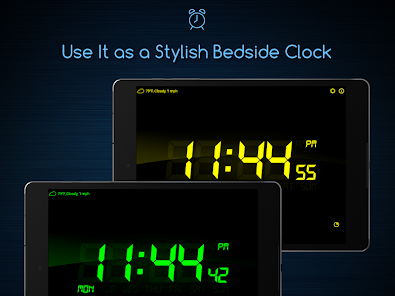
Comparison Of Key Features
To help you compare, see how these top alarm clock apps stack up on important features:
| App | Puzzle Missions | Sleep Tracking | Custom Sounds | Smart Home Integration |
|---|---|---|---|---|
| Alarmy | Yes | Basic | Yes | No |
| Sleep as Android | Yes | Advanced | Yes | Yes |
| Google Clock | No | No | Yes | Yes |
| Puzzle Alarm Clock | Yes | Basic | Yes | No |
| Bedr Alarm Clock Radio | No | No | Radio | No |
How To Choose The Best Alarm Clock App For Your Needs
Choosing the right app is not only about features. You need to think about your own habits and what helps you get out of bed.
For Heavy Sleepers
If you often sleep through alarms, look for apps with maximum volume, vibration, and puzzle missions. Alarmy, Alarm Clock for Heavy Sleepers, and I Can’t Wake Up! are good choices.
For Light Sleepers
Gentle Alarm and Sleep as Android let you wake up softly. Look for apps that gradually increase volume or use music instead of harsh sounds.
For Tech Enthusiasts
If you want to connect your alarm to smart lights, thermostats, or wearables, try Sleep as Android or Google Clock.
For Minimalists
Simple Alarm Clock or Google Clock offer a clean, easy-to-use experience with no distractions.
For People Who Love Music
Bedr Alarm Clock lets you wake up to radio, while Google Clock connects to Spotify.
For Data And Sleep Tracking
If you want to analyze your sleep, choose Sleep as Android or Alarm Clock for Heavy Sleepers (premium).
Common Mistakes When Choosing An Alarm App
- Ignoring Permissions: Some alarm apps need access to your microphone, camera, or location. If you’re not comfortable granting these, pick a simpler app.
- Not Testing Backup Alarms: Always set a backup alarm (even with the system clock) until you trust a new app.
- Forgetting Battery Optimization: Many Android phones kill background apps to save battery. You may need to whitelist your alarm app to ensure it rings every time.
- Overcomplicating: If you just want to wake up on time, too many features can make things confusing. Start simple, then add features as needed.
- Not Updating: Outdated apps may not work with newer Android versions. Check for recent updates before you rely on any alarm app.
Real-life Examples: Which App Suits Which Person?
- College Student: Needs multiple alarms and missions to avoid oversleeping. Alarmy or I Can’t Wake Up! Can help.
- Frequent Traveler: Wants alarms to sync across devices and avoid missing flights. Timely’s cloud sync is useful.
- Shift Worker: Needs complex schedules and different alarms for different days. Gentle Alarm or Alarm Clock Plus are good choices.
- Busy Parent: Wants alarms with reminders and calendar integration. Alarm Clock for Heavy Sleepers connects with Google Calendar.
- Music Lover: Enjoys waking up to the radio or playlists. Bedr or Google Clock (with Spotify) are best.
Data: User Ratings And Downloads
Here’s a look at how popular these apps are on the Google Play Store (data as of 2024):
| App | Downloads | Average Rating |
|---|---|---|
| Alarmy | 10M+ | 4.7 |
| Sleep as Android | 10M+ | 4.5 |
| Google Clock | 1B+ | 4.0 |
| Puzzle Alarm Clock | 5M+ | 4.3 |
| Bedr Alarm Clock Radio | 1M+ | 4.2 |
Advanced Tips For Getting The Most Out Of Your Alarm App
- Combine alarms: Use your main alarm app plus Google Clock as a backup.
- Try “Bedtime” features: Apps like Sleep as Android help you build a healthy sleep routine, not just wake you up.
- Use “Mission” alarms only when needed: Too many challenges can make you hate mornings. Use puzzle missions for important days.
- Track your sleep: If you feel tired even with alarms, try sleep tracking to see if you need more or better quality sleep.
- Explore integrations: Connect your alarm app to smart lights or music for a personalized wake-up.

Why Built-in Alarm Apps Are Still Worth Considering
Many Android phones come with a built-in clock app. For most users, this is enough. Built-in apps are reliable, use less battery, and get regular updates from your phone manufacturer.
However, if you need advanced features—like sleep tracking, puzzle missions, or music integration—you’ll need to try a third-party app.
A key insight: Built-in apps are less likely to break after an Android update. Always keep one as a backup.
Security And Privacy Considerations
Alarm apps often request many permissions. For example, sleep tracking may need microphone access, while puzzle missions may use your camera. Always check what each app requests before installing.
If privacy is important to you, use a simple alarm app with no extra permissions. Avoid apps that collect unnecessary data. For more on Android app permissions, see this Google support page.
Frequently Asked Questions
What Is The Most Reliable Alarm Clock App For Android?
Google Clock is the most reliable for most users because it’s developed by Google, works well with all Android devices, and gets regular updates. Apps like Alarmy and Sleep as Android are also very reliable but may require extra battery settings to work perfectly.
Can Alarm Clock Apps Work If My Phone Is On Silent Or Do Not Disturb?
Yes, most good alarm clock apps override silent mode and Do Not Disturb settings. However, you must allow the app the right permissions. Some apps, like Puzzle Alarm Clock, have a “safe mode” to ensure alarms always ring.
Which Alarm App Is Best For Deep Sleepers?
Alarmy and Alarm Clock for Heavy Sleepers are top choices for deep sleepers. They offer loud alarms, vibration, flashlight, and puzzle missions that force you to get out of bed.
Do Any Alarm Clock Apps Track My Sleep?
Yes, Sleep as Android is the best-known sleep tracking alarm for Android. It uses sensors or wearables to analyze your sleep cycles and wake you at the best time. Some other apps, like Alarm Clock for Heavy Sleepers (premium), also offer sleep tracking.
Are Free Alarm Clock Apps Safe To Use?
Most popular free alarm clock apps are safe, but always check reviews, permissions, and the developer’s reputation. Avoid apps that ask for unnecessary permissions or show too many ads. For security, download only from the Google Play Store.
Final Thoughts
Waking up on time is more than just setting an alarm—it’s about choosing a tool that matches your lifestyle. Whether you need a loud ring, a gentle sunrise, or a brain challenge, there’s an Android alarm clock app for you.
Take time to explore, test a few, and check which features actually help you get out of bed. Remember, the “best” alarm app is the one you trust to work every morning. Start with a reliable choice, use backup alarms at first, and pay attention to privacy settings.
With the right app, you’ll never dread waking up again.