Finding The Best Free Clock App for Android
Sometimes you just want a simple clock app on your Android device that fits your daily needs. Maybe you need a clear display on your home screen or a reliable alarm to keep you on track. It sounds straightforward, but picking the right app can get tricky fast.
There are many free clock apps available. They differ in design, features, and how much control you have over settings like colors, fonts, or alarm sounds. Some focus on minimalism, while others add extras like screensavers or weather info. Choosing one means balancing what you want with what you actually need.
This guide will help you understand the key points to consider when looking for a free clock app for Android. It’s about finding the right fit for your device and lifestyle without getting lost in technical details or flashy extras.
What Really Matters When Choosing A Clock App
Not all clock apps are built the same. Some are great for simple time display, while others offer alarms with customizable ringtones or screen saver modes. Think about how you plan to use it. Is it mostly for checking the time at a glance? Do you want alarms that wake you gently? Or maybe a stylish clock face that matches your device’s look?
Also, consider ease of use. Some apps require little setup and work immediately. Others might have many options but take longer to learn. Your comfort with the app’s interface can make a big difference.
Common Confusions When Picking A Free Clock App
One common misunderstanding is assuming more features always mean a better app. Sometimes, extra features can clutter the screen or drain battery life. Another point is thinking a visually appealing clock will suit everyone’s needs. A flashy design might look nice but could be hard to read or distracting.
Price isn’t a factor here since we focus on free options, but keep in mind that some free apps include ads or limited functions unless you upgrade. Deciding what you can live with in terms of ads or feature limits is part of the choice.
Finally, compatibility with your device and Android version can affect performance. Not every app works smoothly on all devices.
Getting Ready To Explore Your Options
The following selections cover a range of clock apps with different strengths—some focus on large, clear displays, others on alarms or screen savers. Each app suits different needs and preferences. As you review them, think about what matters most to you and your daily routine.
Free Digital Clock App
This Free Digital Clock App is a top pick among Best Free Clock App for Android options, offering clear and customizable time display for daily use.
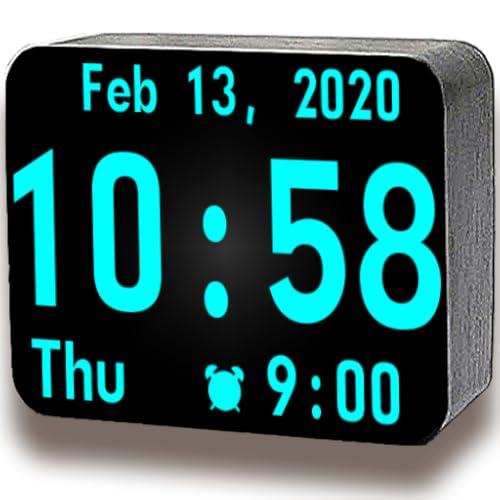
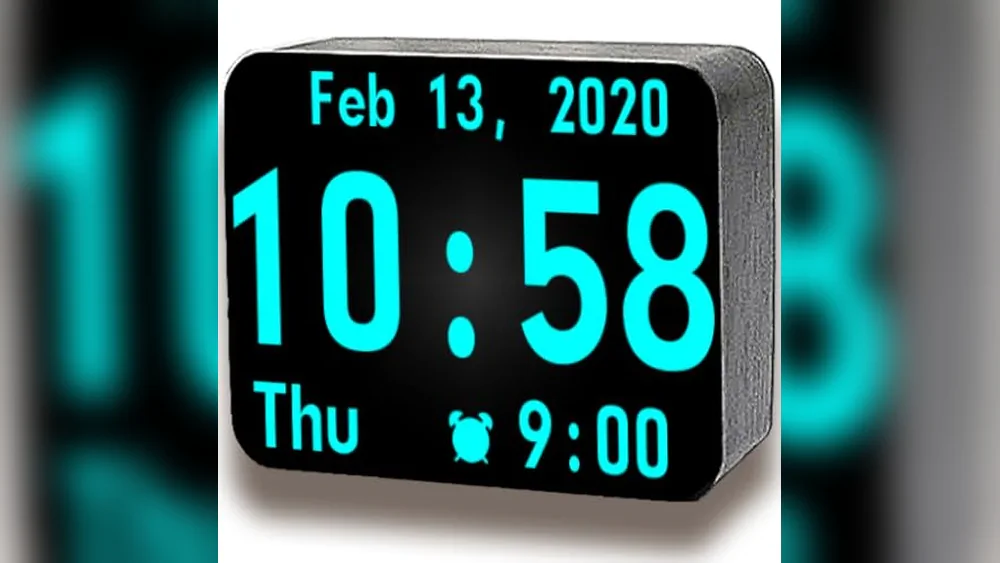
The Free Digital Clock App by Human Data SG Pte Ltd offers a simple way to see time at a glance with an extra-large digital clock that fits well on any Android screen. It also shows the day of the week and calendar date, helping users keep track of time and important days easily.
Using this app feels straightforward and reliable, with options to adjust the clock’s color and font to fit your style or environment. It keeps the time display clear and readable, which is perfect for quick checks without distractions.
Key Features for Easy Time Tracking
- Extra-large digital clock for clear visibility.
- Displays day of the week and calendar date.
- Adjustable clock color to suit preferences.
- Customizable clock font for better readability.
Considerations Before Downloading
- Limited to basic clock and calendar display functions.
- No alarm or timer features included.
- Does not offer advanced customization beyond color and font.
When This App Works Well
This app is ideal for anyone who wants a simple, no-frills clock on their Android device to keep track of time and date without distractions. It removes the hassle of complicated settings and focuses on clear, large time display.
It helps avoid guesswork about the day or date, which can be useful for busy schedules or those who prefer minimal apps. For best results, try adjusting the color and font to match your device’s theme or lighting conditions.
If you appreciate clean and straightforward tools, this clock app fits naturally into your daily routine without adding complexity.
| Best for | Why |
|---|---|
| Users needing a large, clear clock | Extra-large digits improve visibility at a glance |
| People who want quick date info | Shows day of week and calendar date alongside time |
| Those who like simple customization | Allows color and font changes to suit personal style |
| Android users preferring lightweight apps | Focuses on essentials without extra features |
Android Clock – Free
This is the Best Free Clock App for Android for users who want a simple home screen clock with flexible time display options.

The Android Clock – Free app by Steel City LLC offers a straightforward clock display for your home screen, helping you keep track of time effortlessly. It supports both 12-hour and 24-hour formats, so you can choose the style that suits your preference.
Using this app feels consistent and clear with its easy-to-configure date settings. It saves time by eliminating the need to open multiple apps just to check the time or date, giving you a reliable clock right on your home screen.
Key Benefits for Everyday Use
- Easy-to-read clock display directly on the home screen
- Option to switch between 24-hour and 12-hour time formats
- Simple date configuration to fit your local format
- Lightweight app without unnecessary features
- Ideal for users who want quick time access without distractions
Considerations Before Choosing
- Lacks advanced alarm or timer functions
- No customization beyond basic clock and date display
- Minimal design may not suit users wanting rich visuals
When This App Works Well
This app is best for Android users who want a clean, no-fuss clock on their home screen without extra bells and whistles. It removes the hassle of opening separate apps just to check the time or date.
One tip is to set your preferred time format immediately after installation to match your daily routine. Its reliability means fewer surprises when you need the time at a glance.
For those who appreciate simplicity and straightforward tools, this app fits neatly into daily life without distraction.
| Best for | Why |
|---|---|
| Users needing a simple home screen clock | Provides quick, always-visible time and date info |
| People preferring 24-hour or 12-hour formats | Offers easy switching between time display modes |
| Those wanting minimal app size and no extra features | Lightweight and focused solely on time and date display |
| Users who value straightforward, distraction-free design | Simple interface keeps attention on the essentials |
App Oven Alarm Clock
This Best Free Clock App for Android offers a peaceful wake-up experience with beautiful clock faces and gentle alarm features.

This app serves as a versatile alarm clock with an attractive clock face screensaver and peaceful wallpapers to help you wake up on time. It solves the common problem of harsh alarms by offering gentle volume increase and customizable snooze durations.
Using this app feels calming and straightforward. You can enable or disable alarms with one touch and set alarms to repeat on specific days, making your morning routine more consistent and less stressful.
Key Benefits for Morning Routine
- Wake up to soothing music from a built-in library
- Simple one-touch alarm enabling and disabling
- Adjustable snooze times tailored to your needs
- Repeat alarms on selected days for regular schedules
- Gradual volume increase for a gentle wake-up
Considerations Before Choosing
- No detailed customization for alarm sounds beyond the built-in library
- Primarily focused on clock face and screensaver visuals rather than advanced alarm functions
Where This Clock App Stands Out
This app is ideal for those who want a calm and visually pleasing way to wake up without complicated settings. It removes the stress of abrupt alarms and guesswork about snooze timing by providing easy controls and gentle sound escalation.
To get the best from it, set your preferred snooze duration and repeat days to match your weekly routine. The reliable alarm and peaceful visuals can help reduce morning surprises and start your day more smoothly.
| Best for | Why |
|---|---|
| Users seeking a gentle wake-up | Gradual volume increase eases you out of sleep |
| People wanting a visually appealing clock | Beautiful clock face and peaceful wallpapers enhance the experience |
| Those needing simple alarm control | One-touch enable/disable and repeat options simplify management |
| Individuals with regular weekly schedules | Repeat alarm on selected days supports consistency |
Fire Clock By Nexzone
The Fire Clock by NexZone is the Best Free Clock App for Android, offering a clear and simple way to display time and date on your device.

The Fire Clock by NexZone is a straightforward digital clock app designed for Fire TVs and tablets. It solves the problem of needing a reliable, easy-to-read clock display without any complicated setup or distractions.
Using this app feels effortless due to its minimalistic design and user-friendly interface. It provides consistent and accurate date and time information, making it a dependable choice for everyday use or as a screensaver.
Key Benefits for Clock App Users
- Simple and easy to use without technical skills
- Clear and minimalistic display for quick time reading
- Functions as a screensaver for added device utility
- Accurate date and time presentation
- Designed specifically for Fire TVs and tablets
Considerations Before Choosing
- Limited to Fire TV and tablet platforms, not a general Android app
- No advanced customization or alarm features
- Minimalistic design may not suit those wanting decorative elements
When This App Works Best
This app is ideal for users who want a no-fuss, reliable clock display on their Fire TV or tablet. It removes the need to fiddle with complex settings or third-party apps, reducing hassle and guesswork.
To get the most out of it, use the screensaver mode to save your screen and have time visible during standby. This provides peace of mind knowing your clock is always accurate and ready when you glance at it.
If you prefer simplicity and functionality over flashy designs, this app fits perfectly into a practical and streamlined lifestyle.
| Best for | Why |
|---|---|
| Fire TV users | Optimized for Fire TV and tablet screens |
| Minimalist design lovers | Offers a clean and distraction-free clock display |
| Users needing a simple screensaver | Functions effectively as a clock screensaver |
| People wanting accurate time display | Provides reliable date and time without extra features |
Alarm Clock Free For Kindle Fire
This app stands out as the Best Free Clock App for Android by offering customizable alarms and beautiful backgrounds tailored for Kindle Fire users.
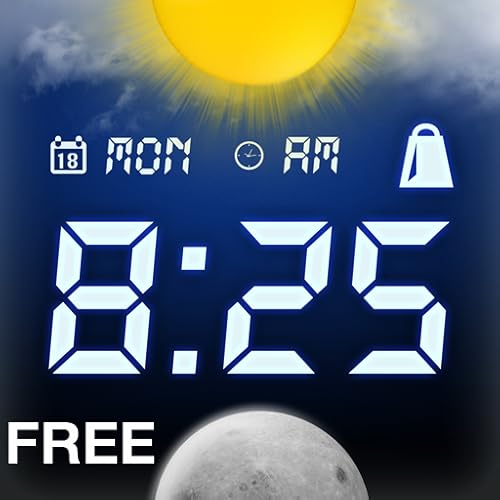
The Alarm Clock Free for Kindle Fire is a simple alarm app designed to help you wake up on time with ease. It allows setting up to two alarms and lets you personalize your wake-up experience by choosing either preinstalled backgrounds or your own images.
Using this app feels straightforward and customizable, giving users a sense of control over how they start their day. Its options like weather display and brightness settings add to the convenience without overwhelming the interface.
Key Benefits for Daily Use
- Supports two separate alarms for flexible scheduling
- Customizable backgrounds enhance visual appeal
- Option to use a personal music file as alarm sound
- Additional features like weather display provide useful info
- Choice between 12 and 24-hour time formats
- Brightness settings help reduce glare in low light
Considerations Before Downloading
- Limited to two alarms, which may not suit complex schedules
- Designed specifically for Kindle Fire, so Android phone compatibility may vary
- Does not include advanced snooze or smart alarm features
Who Should Consider This App
This app is best for Kindle Fire users who want a straightforward alarm clock with some personalization options but without complicated settings. It removes the hassle of generic alarms by allowing you to pick your own wake-up sound and background image.
For anyone who values reliability and a calm start to the day, this app provides peace of mind with simple, effective alarms. A quick tip is to set your preferred background and alarm sound right after installation to personalize your experience fully.
| Best for | Why |
|---|---|
| Kindle Fire users | Optimized for Kindle Fire devices with tailored features |
| Users wanting simple alarm setups | Allows up to two alarms without overwhelming options |
| People who prefer personalized wake-up | Custom backgrounds and personal music alarms enhance experience |
| Those needing basic weather info at a glance | Includes optional weather display on alarm screen |
Big Digital Clock Minimal
Big Digital Clock Minimal is a top choice as the Best Free Clock App for Android, offering a clear and customizable digital display for easy time reading.

Big Digital Clock Minimal is an Android app that displays a large digital clock on your screen, helping users easily tell time at a glance. It addresses the need for a simple, clear clock app without clutter, featuring both 12-hour and 24-hour formats to match personal preferences.
Using this app feels straightforward and reliable, with options to show or hide the date and seconds for a personalized experience. The multiple font styles add a touch of customization, making it a consistent and visually pleasing tool for daily timekeeping.
Key Features for Easy Timekeeping
- Large full-screen display ensures easy readability even from a distance
- Supports both 12-hour and 24-hour time formats for user preference
- Optional seconds display for precise time tracking
- Ability to show or hide date and day to reduce distractions
- Multiple font styles for a customized look
Considerations Before Choosing
- Lacks advanced alarm or timer functions typical in some clock apps
- No built-in weather or additional widgets
- Minimalist design may not suit users wanting more visual elements
When This Clock App Fits Best
This app is ideal for anyone needing a straightforward, free clock display on their Android device without extra features getting in the way. It removes guesswork by showing time clearly and allows some customization to fit personal style.
To get the best experience, try different font styles and toggle the date or seconds to find what suits your daily routine. The simplicity ensures you can rely on it for consistent time viewing with minimal hassle.
| Best for | Why |
|---|---|
| Users needing a large, clear time display | Full-screen clock is easy to see from across the room |
| People who want simple customization | Options for fonts, date, and seconds let you personalize without complexity |
| Those who prefer minimalist clock apps | Focuses only on time and date without extra distractions |
| Anyone looking for a free, reliable clock | No cost and dependable for daily time checking |
Android Clock-1
Android Clock-1 is a reliable choice as the Best Free Clock App for Android, offering accurate time and battery level display for productivity users.
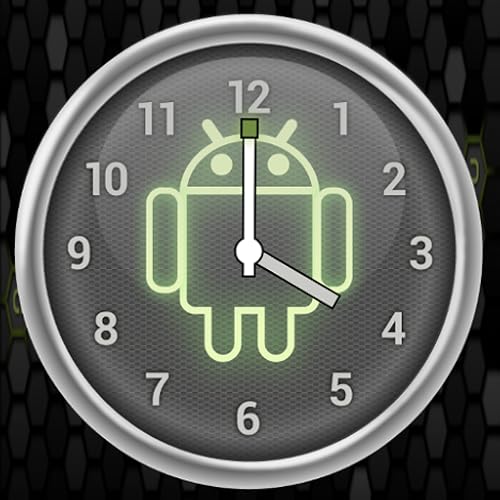
Android Clock-1 is a simple productivity app designed to show accurate time and your device’s battery level. It solves the problem of needing a clear and reliable clock display on your Android device without unnecessary complications.
Using this app feels straightforward and consistent, with nice graphics that make it easy to glance at your device for time and battery info. It helps save time by providing essential information at a glance without distractions.
Key Benefits for Android Users
- Accurate and reliable time display
- Displays current battery level clearly
- Simple and uncluttered interface
- Visually appealing graphics enhance usability
- Lightweight app focused on core functionality
Considerations Before Choosing
- Limited to basic features—no alarms or timers included
- No customization options for clock appearance
- Does not include additional productivity tools
Who This App Works For
This app is best for Android users who want a straightforward clock with battery info, without extra features getting in the way. It removes the hassle of searching for time and battery status in separate places, simplifying daily device use.
A quick tip: keep the app on your home screen for immediate access to time and battery info. This way, you gain peace of mind knowing you can always check your device’s status quickly and reliably.
| Best for | Why |
|---|---|
| Users needing accurate time display | Ensures you always see the correct time without delay |
| People wanting battery status at a glance | Shows real-time battery level integrated with the clock |
| Minimalist app users | Focuses on essential features without clutter |
| Android productivity app seekers | Supports time management with a simple, clean interface |
Free Clock App By T-me Themes
The Free Clock App by T-Me Themes is the best free clock app for Android offering interactive and customizable features for a unique user experience.

The Free Clock App by T-Me Themes is a simple and visually appealing clock application designed for Android devices. It solves the problem of dull or generic clock displays by offering HD graphics and customizable effects that make your screen stand out. Its use of OpenGL technology helps keep battery consumption low while maintaining smooth visuals.
Using this clock app feels engaging and interactive thanks to its touch-responsive features. The ability to change effects easily means you can personalize your experience without hassle, making it a reliable and enjoyable addition to your daily device use.
Key Features for Android Clock Users
- Low battery consumption with OpenGL technology
- Interactive touch screen experience
- Customizable visual effects to fit your style
- High-definition graphics with unique design
Considerations Before Downloading
- Primarily a theme app, so functionality beyond clock display may be limited
- No advanced alarm or timer features mentioned
- Does not include detailed customization options beyond effects
Who This Fits Best
This app is best for Android users looking to enhance their device’s clock display with unique and visually appealing themes without draining battery life. It removes the hassle of boring default clocks by providing interactive and customizable visuals.
For the best experience, try different effects to find what suits your style and enjoy a reliable, low-power clock display that keeps your home screen lively. It’s an easy way to add personality to your phone without complicating your daily routine.
| Best for | Why |
|---|---|
| Android users wanting a stylish clock | Offers HD graphics and customizable effects |
| Those concerned about battery life | Uses OpenGL technology to minimize power use |
| People who enjoy interactive apps | Touch screen interaction enhances user engagement |
| Users seeking simple, unique clock themes | Provides a distinctive design without complexity |
Daniel Richner Clock App
This Best Free Clock App for Android offers flexible display options and screen-safe features for easy time tracking.
This app puts a clock on your Android device or TV screen that stays visible and customizable. It solves the problem of not having a clear, attractive clock by letting you choose digital or analog displays and adjust size, color, and position to fit your needs.
Using the app feels straightforward and reliable, with features like auto start and screen burn-in protection. You can confidently set it up once and have the clock ready whenever you power on your device, saving you time and hassle.
Key Benefits for Android Clock Users
- Option to switch between digital and analog displays for personal preference.
- Full customization of clock size, color, font, and background transparency.
- Place the clock anywhere on the screen with pixel-perfect positioning.
- Screen-friendly burn-in protection through subtle pixel shifting.
- Automatic launch on device startup ensures consistent availability.
Considerations Before Choosing
- Lacks alarm or timer functions—focuses solely on clock display.
- No pricing info available; verify if any in-app purchases apply.
- Limited to Android and TV devices; no cross-platform support mentioned.
What Makes This Clock App Stand Out
This app is ideal for Android users who want a simple, customizable clock always visible on their screen without complicated features. It removes guesswork about display options and placement, letting you tailor the clock exactly how you like it.
By enabling auto start and burn-in protection, it reduces worries about setup and screen damage. For best results, spend a moment adjusting clock placement to avoid overlapping important content on your display.
Its straightforward design suits anyone looking to keep time visible with minimal fuss and reliable consistency.
| Best for | Why |
|---|---|
| Android users wanting a clear clock display | Offers digital or analog styles with full customization |
| People concerned about OLED screen burn-in | Includes pixel shifting to protect your device screen |
| Those who want automatic clock startup | Clock launches automatically when device powers on |
| Users needing flexible clock positioning | Allows free placement anywhere on the screen |
Clock Themes Screensaver Mega Collection
This Best Free Clock App for Android offers seamless day-to-night wallpapers with nature themes, perfect for those who want an aesthetic and customizable clock display.

The Clock Themes Screensaver Mega Collection is a digital and analog clock wallpaper app designed for Fire TV and tablets. It solves the problem of boring clock displays by offering seven nature-inspired themes and an easy-to-use interface that adapts the wallpaper from day to night smoothly.
Using this app feels calming and visually pleasing, with the clock face easily adjustable to nine positions and the option to toggle between AM/PM or 24-hour formats. It provides a consistent and peaceful way to keep track of time while enjoying scenic backgrounds.
Key Features for Clock Display
- Seven nature-themed wallpapers including forest, desert, and galaxy views
- Smooth transitions between day and night backgrounds
- Customizable clock face placement with nine position options
- Choice between AM/PM or 24-hour time formats
- Simple and intuitive interface for easy setup
Considerations Before Choosing
- Designed mainly for Fire TV and tablet screens, not specifically for smartphones
- No alarm or timer functions included
- Lacks advanced customization beyond themes and clock position
Where This App Works Well
This app is ideal for users who want a visually relaxing clock display on their Fire TV or tablet without extra distractions. It removes the hassle of dull clock screens and guesswork about time format settings.
For best results, try positioning the clock face in different spots to find what blends best with your chosen wallpaper theme. You can trust this app to provide a stable, aesthetically pleasing time display that fits naturally into your environment.
| Best for | Why |
|---|---|
| Fire TV users | Optimized for large screens with HD and 4K support |
| Nature lovers | Offers seven peaceful nature-themed clock wallpapers |
| Simple clock display seekers | Easy interface with adjustable clock face positions |
| People preferring day/night visuals | Seamless transitions between day and night backgrounds |
Clock Faces Collection By App Oven
This is the Best Free Clock App for Android that offers a variety of designer clock faces with a peaceful screensaver for easy time viewing.

This app provides a collection of simple digital and analog clock faces designed for Fire TV and tablets. It helps users easily keep track of time with customizable faces and a screensaver that doubles as wallpaper backgrounds in HD and 4K quality.
Using this app feels straightforward and relaxing. The interface is easy to navigate, and switching between clock formats or enabling night mode can be done quickly, making it convenient for both daytime and nighttime use.
Key Features for Clock Display
- More than 15 exclusive designer clock faces to choose from
- Includes both digital and analog clock options
- Simple and user-friendly interface
- Option to toggle between AM/PM and 24-hour time formats
- Night mode with low brightness to reduce eye strain during sleep
Considerations Before Choosing
- Designed primarily for Fire TV and tablets, may not be optimized for all Android phone screens
- Limited to clock face display and screensaver functions without additional alarm or timer features
When This App Works Best
This app is ideal for users who want a visually appealing and minimal clock display on their Fire TV or tablet without complicated features. It removes the hassle of searching for multiple clock designs by offering a variety of easy-to-switch faces in one place.
To get the best experience, try toggling night mode during evening hours to reduce brightness and avoid disturbance. This helps maintain a calming atmosphere while still showing the time clearly.
If you prefer a simple, elegant clock display that blends well with your device’s screen, this collection fits well without overwhelming your setup.
| Best for | Why |
|---|---|
| Fire TV users | Offers HD and 4K clock faces optimized for TV screens |
| Tablet owners | Designed with tablet display sizes in mind for clear visibility |
| Nighttime clock display | Includes low-brightness night mode to reduce sleep disruption |
| Minimalist design fans | Simple digital and analog faces with peaceful backgrounds |
Key Considerations When Choosing A Digital Clock App
Display Preferences
Decide whether you prefer a digital or analog clock display. Some apps offer both options along with customizable fonts and colors to match your style or screen setup.
Alarm Features
Consider how you want to use alarms. Look for apps that allow multiple alarms, snooze settings, and options for alarm sounds, including custom music or gentle volume increases.
Screen Saver and Background Options
If you plan to use the clock as a screensaver, choose apps with minimalistic designs or nature-themed backgrounds that transition smoothly between day and night. This helps reduce eye strain.
Device Compatibility and Positioning
Check that the app supports your device type (TV, tablet, or phone) and allows flexible clock positioning on the screen. Some apps include features like burn-in protection for OLED displays.
Common Buyer Concerns And How To Address Them
Is the Clock Display Readable from a Distance?
Look for apps with large, clear digits and adjustable font sizes. Extra-large displays enhance visibility, especially on larger screens or from across the room.
Will the Alarm Interrupt Other Activities?
Choose apps that offer easy alarm enabling and disabling with one touch. Some also support repeating alarms on specific days and gradual volume increases for a gentle wake-up.
Can I Customize the Clock’s Appearance?
Many apps allow you to change colors, fonts, and background themes. This helps the clock blend well with your room decor or personal preferences.
How Does the App Protect My Screen?
Some apps include features like pixel shifting to prevent screen burn-in, especially important for OLED displays used as screensavers or always-on clocks.
Setup And Usage Tips
Positioning Your Clock
Place the clock in a location that suits your viewing angle and room layout. Many apps let you drag and drop the clock anywhere on the screen for optimal visibility.
Adjusting Brightness and Night Modes
Use night mode or lower brightness settings in the evening to reduce glare. Some apps automatically adjust brightness or offer a low-light display to help with sleep.
Configuring Alarms
Set alarms thoughtfully, considering snooze duration and repeat options. Personalize alarm sounds to ensure they wake you without being jarring.
Frequently Asked Questions
Can I use these clock apps without internet access?
Most clock apps function fully offline once installed, including time display and alarms. However, some features like downloading new backgrounds may require internet.
Do these apps support 12-hour and 24-hour time formats?
Yes, many clock apps offer the option to toggle between 12-hour and 24-hour formats to fit your preference.
Are these apps compatible with all Android devices?
Compatibility varies by app. Generally, they support a wide range of Android phones, tablets, and TVs, but checking the app description for device requirements is recommended.
Can I customize the alarm sound?
Several apps allow you to choose alarm sounds from pre-installed options or select songs from your device’s music library.
Will the clock app drain my device battery quickly?
Using a clock app as a screensaver or always-on display can increase battery usage. For longer battery life, consider adjusting brightness or using the app on plugged-in devices.
Final Thoughts On Choosing A Digital Clock App
When selecting a digital clock app, focus on how it fits your daily routine and device setup. Prioritize readability, alarm flexibility, and customization features that make the clock comfortable to use and view. Keep in mind your device’s capabilities and how the app’s design complements your environment. With the right balance, a clock app can be both functional and visually pleasing without complicating your experience.