
How to Fix Flickering LED Lights and driving you crazy? You’re not alone.
Flickering LED lights can be more than just annoying—they can strain your eyes, waste energy, and even signal a bigger electrical problem in your home. But before you rush out to buy new bulbs or call an electrician, there are simple, effective steps you can take to fix the flicker yourself.
You’ll discover why your LED lights flicker and how to stop them for good. Stick with me, and you’ll soon enjoy steady, reliable lighting that brightens your space without the annoying blink.
Common Causes Of Flickering
Flickering LED lights can be more than just annoying—they might hint at underlying electrical problems. Understanding what causes flickering helps you fix the issue efficiently and avoid unnecessary replacements. Below are some common reasons your LED lights might be flickering and how to spot them.
Dimmer Switch Issues
Many LED flickers come from dimmer switches not made for LED bulbs. Traditional dimmers often work with incandescent bulbs but can cause LEDs to flicker or buzz. If your LED lights flicker when dimmed, check if your dimmer is compatible with LEDs or consider switching to an LED-specific dimmer.
Voltage Fluctuations
Have you noticed your lights flicker when a big appliance like a fridge or air conditioner kicks on? That’s due to voltage dips in your home’s electrical system. LEDs need a steady voltage, so fluctuations can cause flickering. You might need an electrician to check your circuits or add a voltage stabiliser.
Loose Wiring And Connections
Loose or faulty wiring is a common cause of flickering lights and also a safety hazard. Even if your bulbs and switches seem fine, a loose connection can interrupt power flow. If flickering persists, inspect wiring in fixtures, switches, and outlets, or get a professional to ensure all connections are secure.
Poor Quality Bulbs And Drivers
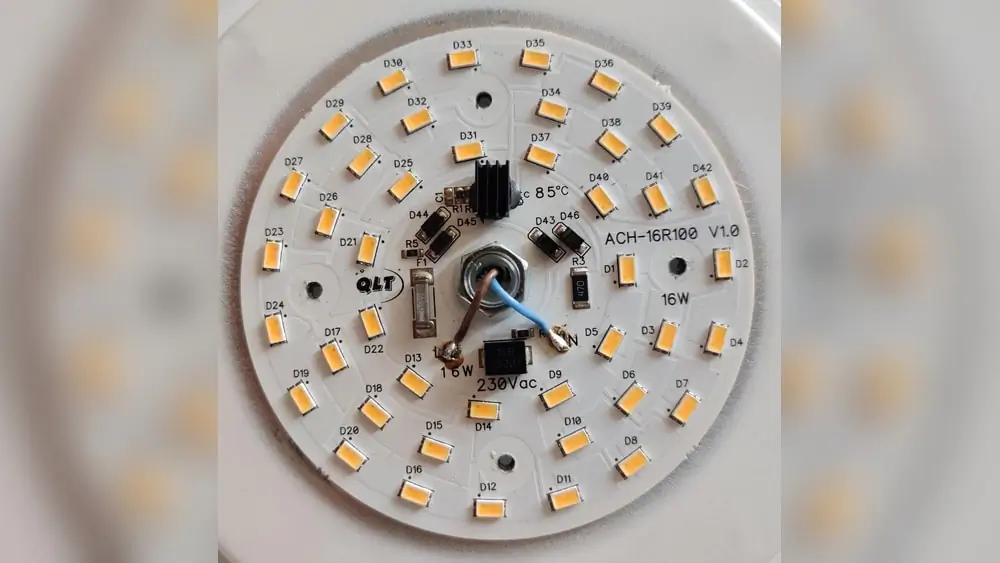
Not all LED bulbs are created equal. Cheap LEDs or low-quality drivers (the component that controls power to the bulb) can cause inconsistent light output and flickering. Investing in bulbs from reputable brands and checking for proper certification can save you headaches and frequent replacements.
Smart And Backlit Switch Effects
Do your LED lights flicker when turned off or controlled via smart switches? Some smart switches or backlit switches leak a small current even when off, enough to cause LED flicker. Switching to compatible smart switches or adding a bypass device can often fix this annoying issue.
Temperature Impacts
Extreme heat or cold can affect LED performance. If your flickering happens mostly in very hot or cold rooms, temperature might be the culprit. LEDs and their drivers work best within certain temperature ranges, so ensure your fixtures have proper ventilation and aren’t exposed to harsh conditions.

Credit: www.reddit.com
Tools And Materials Needed
Before fixing flickering LED lights, gather the right tools and materials. Having these ready makes the repair smooth and safe. This section lists essential items needed for the task. Keep everything organised for easy access during work.
Basic Electrical Tools
Start with a reliable voltage tester to check power flow. Use a screwdriver set to open light fixtures and switches. Wire strippers help prepare wires for connections. Needle-nose pliers assist in bending and holding wires. Electrical tape secures wire joints and prevents shorts. A ladder or step stool is useful for reaching ceiling fixtures safely.
Replacement Bulbs And Drivers
Choose LED bulbs that match your fixture’s voltage and size. Replace old or flickering bulbs with new, high-quality LEDs. LED drivers regulate power; a faulty driver can cause flickering. Have a compatible driver ready to swap if needed. Check the driver’s wattage and voltage rating before buying. Using the correct driver ensures stable light performance.
Compatible Dimmer Switches
Standard dimmers often do not work well with LED lights. Select dimmer switches designed specifically for LED bulbs. Look for those with a neutral wire connection for better stability. LED-compatible dimmers prevent flickering and buzzing noises. Confirm the dimmer’s wattage range matches your LED setup. Installing the right dimmer improves light control and stops flickering.
Step-by-step Troubleshooting
Fixing flickering LED lights requires a clear approach. Step-by-step troubleshooting helps find the exact cause. Follow these simple steps to check and fix the problem safely. Each step targets a common source of flickering. Use a systematic method to avoid guesswork and save time.
Check Bulb Tightness
Loose bulbs often cause flickering lights. Turn off the power first. Gently tighten the LED bulb in its socket. Avoid over-tightening to prevent damage. After securing the bulb, turn the power back on. Watch if the flickering stops. This simple check often solves the issue.
Test With Different Fixture
Try the LED bulb in another fixture. This test shows if the problem is the bulb or the fixture. If the bulb flickers elsewhere, replace the bulb. If it works fine, the fixture may need inspection. Testing like this narrows down the source quickly.
Inspect And Tighten Wiring
Loose or damaged wiring can cause flickering. Turn off the power before checking. Inspect wires connected to the fixture and switch. Tighten any loose wire nuts or screws. Look for worn or exposed wires and replace them if needed. Proper wiring ensures steady power flow.
Swap Out Dimmer Switch
Some dimmers do not work well with LED bulbs. Replace the current dimmer with an LED-compatible one. This change stops flickering caused by dimmer incompatibility. Make sure to buy a dimmer designed for LEDs. This fix improves light stability and bulb life.
Replace LED Driver
The LED driver controls power to the bulb. A faulty driver can cause flickering. Open the fixture to access the driver carefully. Replace the driver with a new one matching the bulb’s specifications. A good driver provides smooth and constant power to the LEDs.

Credit: www.youtube.com
Quick Fixes For Flickering
Flickering LED lights can be annoying and distracting. Many causes exist, but some quick fixes solve the problem fast. These simple steps help restore steady light without complex tools or expensive parts. Try these easy solutions before calling an electrician.
Use LED-compatible dimmers
Not all dimmer switches work well with LED bulbs. Choose dimmers made for LEDs to ensure stable power flow. LED-compatible dimmers prevent flickering by matching the bulb’s electrical needs. Replacing old dimmers often stops flickering instantly.
Avoid Overloaded Circuits
Too many devices on one circuit cause voltage drops. These drops make LED lights flicker or blink. Move some appliances to other circuits to balance the load. This reduces power fluctuations and keeps the lights steady.
Secure Loose Connections
Loose wires or sockets cause flickering by interrupting power. Turn off the power and check all connections carefully. Tighten screws and make sure bulbs fit snugly. Secure connections improve electrical flow and stop flickering.
Choose High-quality Bulbs
Cheap LED bulbs often flicker due to poor components. Invest in well-known brands with good reviews. Quality bulbs have better drivers that regulate power smoothly. Using premium LEDs reduces flicker and lasts longer.
Preventing Future Flicker
Preventing future flicker in LED lights ensures long-lasting, stable lighting. Flickering often signals underlying issues that worsen over time. Taking proactive steps can maintain consistent light and avoid costly repairs. Simple habits and smart upgrades protect your lighting system.
Regular Maintenance Tips
Check LED bulbs regularly for signs of wear or damage. Tighten any loose connections in sockets and fixtures. Clean bulbs and fixtures to remove dust that affects performance. Replace old or flickering bulbs promptly to avoid electrical strain. Inspect wiring for corrosion or fraying to prevent shorts and flicker.
Upgrading Electrical Components
Use LED-compatible dimmer switches for smooth brightness control. Replace outdated wiring and connectors with modern, quality materials. Install LED drivers designed for your specific bulbs to ensure a stable power supply. Consider upgrading your circuit breaker if it trips often. Choose bulbs from trusted brands to avoid poor-quality components.
Monitoring Power Usage
Watch for spikes in electricity that may cause flicker. Avoid overloading circuits with too many devices at once. Use power strips with surge protectors to guard against voltage changes. Unplug large appliances when not in use to reduce power dips. Consider installing a voltage stabiliser for consistent current flow.
When To Call A Professional
Knowing when to call a professional for flickering LED lights is important. Some issues can be simple to fix, but others need expert help. Safety and proper diagnosis matter most. Calling a pro saves time and avoids risks. Here are key points to watch for.
Signs Of Wiring Problems
Flickering lights may signal wiring problems. If you notice sparks or burning smells near fixtures, do not ignore them. Frequent light flickers in multiple rooms also suggest wiring issues. Loose or damaged wires cause inconsistent power flow. These signs require a licensed electrician’s attention immediately.
Complex Electrical Issues
Some flickering comes from complex electrical problems. Circuit overloads or faulty breakers can cause lights to blink. Problems inside the electrical panel need a professional’s tools and skills. Troubleshooting these issues without training can be dangerous and ineffective. A certified electrician can fix these complex faults safely.
Safety Precautions
Always turn off the power before inspecting lights or switches. Avoid touching wiring or fixtures if you feel unsure. Using the wrong tools or methods can cause shocks or fires. When unsure about the cause of flickering, call a professional. They follow safety codes and use proper equipment for repairs.
Credit: ledstore.pro
Frequently Asked Questions
How Do I Stop My LED From Flickering?
Use an LED-compatible dimmer switch and ensure all wiring connections are tight. Replace poor-quality bulbs and avoid circuit overload.
What Does It Mean When Your LED Lights Start Flickering?
Flickering LED lights usually indicate power issues like voltage fluctuations, incompatible dimmers, loose wiring, or faulty bulbs. LEDs need stable power, so inconsistencies cause flickering. Check dimmer compatibility, tighten connections, and replace poor-quality bulbs to fix the problem.
Can Flickering Lights Be Fixed?
Flickering lights can be fixed by tightening bulbs, checking wiring, replacing poor-quality bulbs, or using compatible dimmer switches.
How To Repair Blinking LED Lights?
Check for loose bulbs and tighten them securely. Use LED-compatible dimmer switches. Inspect wiring for looseness or damage. Replace faulty or low-quality bulbs. Avoid circuit overloads and test bulbs on different fixtures to isolate issues.
Conclusion
Fixing flickering LED lights improves comfort and saves energy. Check for loose wiring or incompatible dimmers first. Replace poor-quality bulbs with reliable ones for steady light. Monitor your home’s voltage to avoid power dips. Simple steps often stop flickering without costly repairs.
Stay patient and follow safety tips while fixing lights. Bright, stable LEDs make any room more pleasant. Keep your home well-lit and flicker-free with regular checks.


Pingback: Best Dimmer Switch for LED Lights - Top Picks 2026
Pingback: Best Magnification for Makeup Mirror: Find the Perfect Mirror 2026