Finding The Best Smart Lights for Google Home
You’ve probably tried setting up smart lights before—only to face confusing options and features that don’t quite match your needs. Whether you want simple voice control or more advanced lighting scenes, picking the right smart lights can feel overwhelming.
Smart lighting products vary a lot. Some focus on color options, others on energy savings or integration with other devices. There are trade-offs between ease of use, compatibility, and the range of features offered. Not every product fits every home or routine.
This guide will help you understand what matters most when choosing smart lights compatible with Google Home. It’s about helping you make sense of the options without getting lost in technical details.
What To Consider Before Choosing Smart Lights
Think about how you plan to use the lights. Do you want simple on/off and dimming, or do you want full color control and scheduling? Consider whether you prefer bulbs that work without a hub or if you don’t mind extra devices for expanded features. Also, some smart lights are better suited for indoor use, while others handle outdoor conditions.
Integration with your existing smart home devices is key. Google Home compatibility is important, but check if the product supports other platforms you use. Energy efficiency and lifespan might matter if you want to reduce costs long-term. Finally, size and design can affect how the bulbs fit your fixtures.
Common Confusions And Missteps
Many buyers focus on specs like wattage or color temperature, but overlook how the product works day to day. For example, some smart bulbs require a stable Wi-Fi connection and a specific frequency. Others may need an app that feels clunky or limited voice assistant support. It’s easy to pick a product that sounds good on paper but doesn’t match your home’s setup or your comfort with technology.
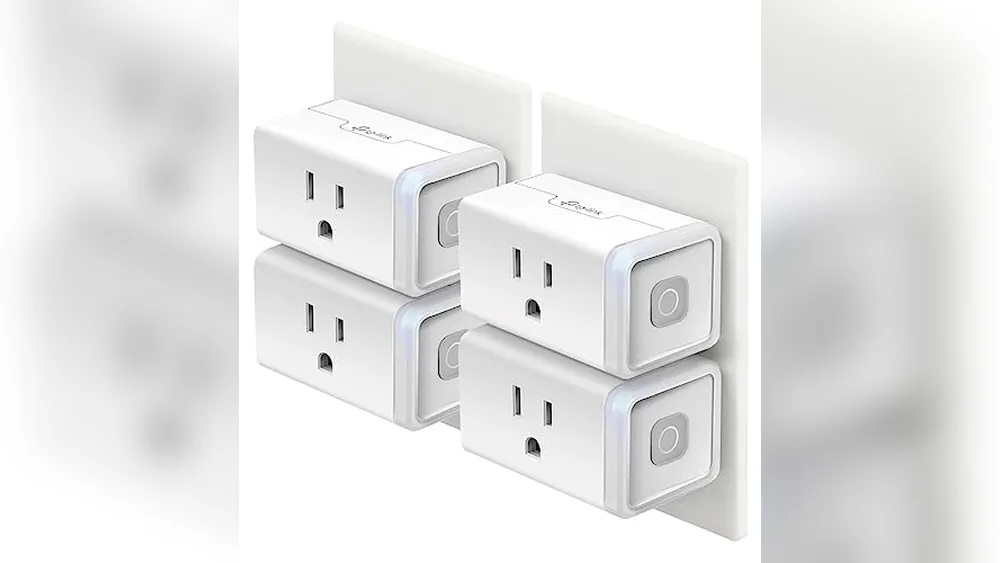
Also, not all smart lighting products are bulbs. Some are switches, plugs, or sensors that add smart control in different ways. Understanding these differences helps avoid frustration and wasted money.
Keep in mind that price ranges vary widely. Cheaper options often cover the basics well, while premium models add convenience and advanced features. Your choice should balance budget with what fits your lifestyle.
How To Approach Your Decision
Focus on your daily habits and preferences rather than just specs. Ask yourself: How much control do I want? Do I need multicolor lighting or just dimmable white? Will I use voice commands often? What other smart devices do I have? Answering these will guide you toward options that truly fit.
With these points in mind, you’ll be ready to explore a range of smart lights that play well with Google Home, each suited to different needs and setups.
Next, you’ll find carefully selected products that cover diverse uses and preferences, helping you find the right fit without confusion.
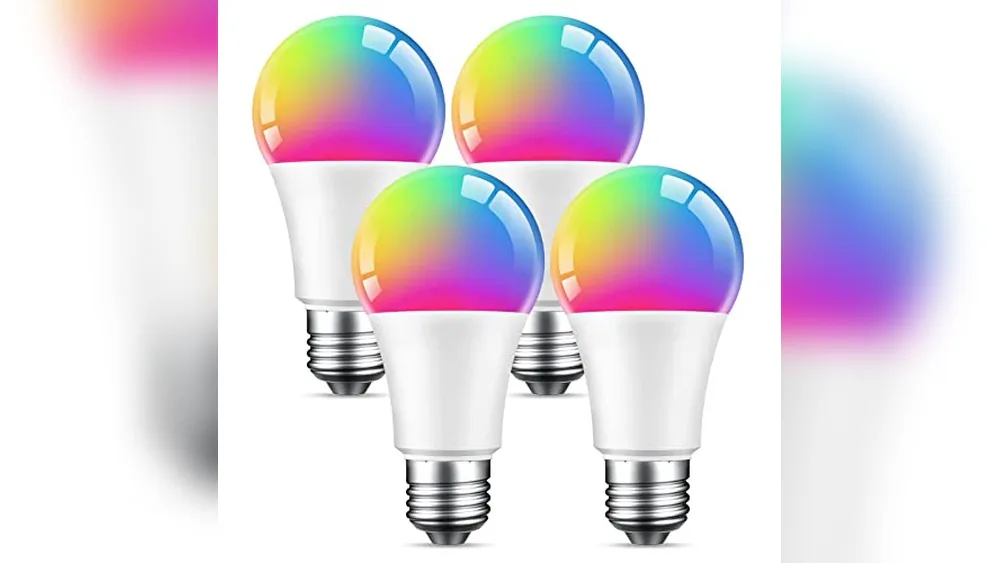
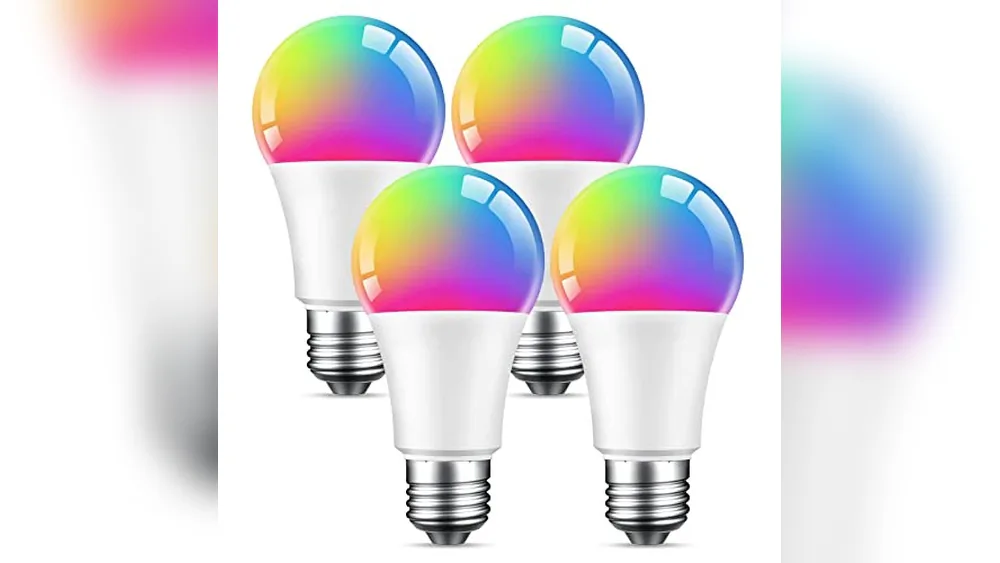
Beantech Wifi Smart Bulbs 4-pack
These bulbs stand out among the Best Smart Lights for Google Home by offering easy voice control and customizable color options for any room.

The Beantech WiFi Smart Bulbs 4-Pack offers a simple solution to upgrade your home lighting with voice control through Alexa or Google Assistant. These bulbs can change colors and dim from warm to cool white, fitting various moods and settings without extra hubs or subscriptions.
Using these bulbs feels straightforward and convenient. You can set schedules and group bulbs for whole-room control, which saves time and energy. The multicolor options add a personal touch to your lighting, making everyday tasks or relaxing moments more enjoyable.
Key Features That Matter
- Voice and app control compatible with Google Assistant and Alexa
- Adjustable color temperature from 2700K to 6500K plus RGB color options
- Easy installation with no hub or subscription needed
- Energy-efficient at only 8 watts, equivalent to a 75W bulb
- Timer and scheduling functions for automatic on/off
- Standard A19 bulb shape and E26 base fit most fixtures
- Long lifespan up to 20,000 hours for reliable use
Considerations Before Buying
- Requires a 2.4 GHz WiFi network; not compatible with 5 GHz
- The multicolor feature may not be necessary for users preferring simple white light
- No included physical remote control—only app or voice commands
Who This Works Well For
If you want flexible smart lighting without complicated setups, this 4-pack suits households wanting easy voice control and color options. It removes the hassle of managing multiple bulbs by allowing group control and scheduling in one app.
To get the best results, set up timers for daily routines to save energy and automate lighting effortlessly. You’ll enjoy peace of mind knowing these bulbs are energy-saving and built to last, so fewer replacements are needed.
Whether for ambient mood lighting or functional room illumination, these bulbs add smart convenience with minimal fuss.
| Best for | Why |
|---|---|
| Users with 2.4 GHz WiFi networks | Bulbs connect easily without extra hardware or hubs |
| Homeowners wanting color and white light options | Supports full RGB and tunable white light temperatures |
| Rooms with standard A19/E26 fixtures | Fits common sockets, suitable for lamps and ceiling fixtures |
| Energy-conscious users | Consumes only 8 watts, saving up to 80% energy |
Beantech Wi-fi Smart Light Bulb 2-pack
One of the Best Smart Lights for Google Home, this bulb offers easy color control and scheduling for flexible home lighting.

The Beantech Wi-Fi Smart Light Bulb 2-Pack lets you control multicolor lighting easily via Google Assistant or Alexa. It fits standard sockets and uses only 8 watts, offering a simple way to update home lighting without extra hubs or subscriptions.
Using this smart bulb feels straightforward and consistent. Setting schedules or changing colors through the app saves time and removes the hassle of manual adjustments, making your home lighting smarter and more energy efficient.
Key Benefits for Smart Home Lighting
- Works seamlessly with Google Assistant and Alexa voice commands
- Full RGB plus white color options to customize mood lighting
- Easy installation without needing a hub or subscription
- Timer scheduling automates lighting to save energy and time
- Group control option for managing multiple bulbs at once
- Standard A19 shape and E26 base for wide compatibility
- Low energy consumption at just 8 watts
Considerations Before Buying
- Requires 2.4 GHz Wi-Fi; not compatible with 5 GHz networks
- Does not include physical remote control; app or voice needed
- Color accuracy may vary slightly depending on app settings
Who This Works Well For
This smart bulb pack is ideal for someone looking to enhance their Google Home setup with colorful lighting that’s easy to control and schedule. It removes guesswork by allowing voice or app commands to adjust lights anytime, reducing daily hassle.
Setting up groups of bulbs helps manage whole-room lighting efficiently, perfect for busy households or those who value convenience. The low wattage adds peace of mind by keeping energy costs down without sacrificing functionality.
| Best for | Why |
|---|---|
| Google Home users want voice control | Compatible with Google Assistant for hands-free lighting changes |
| Homeowners needing flexible color options | Full RGB plus white allows mood and task lighting customization |
| Those wanting easy installation | No hubs or subscriptions required; fits standard sockets |
| Energy-conscious users | Low 8-watt power consumption helps reduce electricity use |
Mobi Multi-color Smart LED Bulb
Among the Best Smart Lights for Google Home, the MOBI bulb offers easy voice control and vibrant color options for a personalized smart home lighting experience.

The MOBI Multi-Color Smart LED Bulb is a WiFi-enabled LED bulb that lets you customize lighting with 16 million colors and adjustable brightness. It works seamlessly with Google Home and Alexa, eliminating the need for a hub and simplifying setup for any home environment.
Using this bulb feels intuitive and reliable, as you can control your lighting through voice commands or the MOBI Smart App. Scheduling and automations make managing your home lighting effortless, saving you time and enhancing comfort.
Key Benefits for Smart Lighting
- Supports 16 million colors for personalized ambiance
- Compatible with Google Home and Alexa for voice control
- No hub required, easy WiFi 2.4GHz setup
- Energy efficient with a long 100,000-hour lifespan
- Adjustable brightness and scheduling via app
- Firmware updates available over WiFi for ongoing improvements
Considerations Before Buying
- Only supports 2.4GHz WiFi networks, not 5GHz
- Brightness limited to 600 lumens, suitable for moderate lighting needs
- Requires the MOBI Smart App for full feature control
Where the MOBI Bulb Excels
This smart bulb is ideal for users looking to add color-changing lighting to bedrooms or living spaces without complex setups. It removes the hassle of extra hubs and lets you adjust lighting easily with voice commands or automation.
By using the app’s scheduling feature, you reduce guesswork and ensure your lights fit your routine, providing peace of mind with reliable performance. For anyone who values simple control and vibrant lighting options, this bulb fits naturally into a connected home.
| Best for | Why |
|---|---|
| Users new to smart lighting | No hub needed, and easy app setup simplifies smart home entry |
| Color ambiance customization | 16 million colors allow personalizing the mood and decor |
| Voice control fans | Compatible with Google Home and Alexa for hands-free operation |
| Energy-conscious households | Energy-efficient LED technology with long lifespan reduces costs |
Kasa Smart Power Strip Hs300
This power strip is a solid pick among the Best Smart Lights for Google Home setups for those needing versatile, voice-controlled outlet management.

The Kasa Smart Power Strip HS300 offers six independently controlled smart outlets with surge protection, designed to help you manage multiple devices easily. It fits well in smart home setups, especially when integrated with Google Home for voice control. This power strip also includes three USB ports, eliminating the need for extra adapters.
Using this smart strip feels straightforward and reliable. You can monitor energy use and control devices remotely through the Kasa app, which adds convenience to daily routines. The surge protector feature provides peace of mind, keeping your electronics safe during unexpected power surges.
Key Advantages for Smart Home Control
- Six smart outlets allow independent device control for tailored management.
- Surge protection safeguards electronics from power spikes and weather issues.
- Energy monitoring helps track consumption and reduce wasted power.
- Works seamlessly with Google Home for voice-activated commands.
- Three built-in USB ports add charging flexibility without extra adapters.
- No hub required, simplifying setup and integration into your network.
Considerations Before Buying
- Primarily a power strip, so it does not include smart lighting features directly.
- The physical size (14.17 inches long) may require ample space on your desk or floor.
- Requires the Kasa Smart app for full functionality, adding an extra app to manage.
When This Power Strip Makes Sense
This smart power strip is ideal for users who want to control multiple devices with voice commands via Google Home while protecting sensitive electronics from surges. It removes the hassle of managing individual plugs and the guesswork of energy usage. To get the best results, organize devices by outlet in the app to monitor and control them efficiently.
With this setup, you gain a safer, more manageable power solution that blends well into a smart home environment. It’s especially handy for home offices or media centers where many devices require power and control.
| Best for | Why |
|---|---|
| Smart home enthusiasts | Want to control multiple devices via Google Home voice commands. |
| Home office setups | Need reliable surge protection and remote control for electronics. |
| Energy-conscious users | Want to monitor and reduce power consumption easily. |
| Users with USB devices | Benefit from integrated USB charging ports alongside smart outlets. |
Google Nest Cam With Floodlight
Among the Best Smart Lights for Google Home, this device offers intelligent outdoor security lighting with person, animal, and vehicle detection.

The Google Nest Cam with Floodlight is an outdoor security camera combined with smart lighting that helps you monitor your property day and night. It can differentiate between people, animals, and vehicles, sending alerts directly to your Google Home app without requiring a subscription. This feature enhances security by reducing false alarms and letting you focus on what matters.
Using this camera feels reassuring because it offers 24/7 live video with night vision and three hours of free event video history, so you can always check what happened. The floodlight automatically activates when important activity is detected, adding an extra layer of protection and convenience. It integrates smoothly with Google Home for easy control and communication.
Key Benefits for Outdoor Security
- Smart detection distinguishes people, animals, and vehicles for precise alerts
- 1080p HDR video with night vision provides clear images anytime
- Floodlight automatically lights up during important activity
- Stores up to 3 hours of event video history for free
- Backup recording during Wi-Fi or power outages for up to an hour
- The two-way talk feature lets you communicate through the camera
Considerations Before Buying
- Advanced features like face recognition require a Nest Aware subscription
- Floodlight and camera require a stable outdoor Wi-Fi connection
- A relatively large size may need sufficient mounting space
Who This Camera Works For
This smart floodlight camera is ideal for homeowners seeking reliable outdoor security with smart light integration and clear alerts. It removes the guesswork of false alarms by identifying what triggered the camera. To get the most from it, ensure your Wi-Fi is strong outdoors and consider adding Nest Aware for advanced features.
With this setup, you gain peace of mind knowing your home is monitored consistently day and night, even during power or Wi-Fi interruptions. It’s a practical choice if you want a blend of security and smart lighting controlled through Google Home.
| Best for | Why |
|---|---|
| Homeowners with outdoor Wi-Fi | Provides continuous surveillance and smart lighting outside the home |
| Users wanting clear activity alerts | Detects people, animals, and vehicles to reduce false alarms |
| Those seeking integration with Google Home | Works seamlessly with the Google Home app for alerts and communication |
| People needing backup recording | Stores recorded events during outages for uninterrupted monitoring |
Kasa Outdoor Smart Plug With 2 Sockets
One of the Best Smart Lights for Google Home setups, offering independent control of two outdoor outlets with reliable weather resistance.

This smart outdoor plug by Kasa Smart offers two independently controlled AC outlets designed for outdoor use. It solves the challenge of managing multiple outdoor devices by providing voice control compatibility with Google Home and Alexa, plus weather-resistant durability suitable for various outdoor conditions.
Using this plug feels straightforward and dependable, especially when setting schedules or controlling devices remotely via the Kasa app. The waterproof cover and wide Wi-Fi range add to the ease and confidence of managing outdoor lighting or appliances without frequent manual intervention.
Key Benefits for Outdoor Smart Control
- Control two outlets separately for customized device management.
- IP64 weather resistance keeps it safe in rain or dust.
- Compatible with Google Home and Alexa for voice commands.
- No hub required, simplifying setup and integration.
- Scheduling and sunset/sunrise offset automates lighting around your day.
- Long Wi-Fi range up to 300 feet supports flexible placement.
- ETL certified for added safety assurance.
Considerations Before Buying
- Requires a 2.4GHz Wi-Fi network; no 5GHz support.
- Designed specifically for outdoor use; indoor use may not leverage weatherproof features.
- No built-in energy monitoring for outlet usage tracking.
Who This Works Well For
This smart plug is ideal for homeowners wanting to control outdoor lights, holiday decorations, or pool pumps through Google Home without extra hubs. It removes the hassle of manual switching and guessing schedules by offering smart automation and voice commands.
To get the most from this device, set up groups in the Kasa app to control multiple plugs and lights simultaneously, saving time and effort. Its reliable weather resistance and app control provide peace of mind for outdoor electronics safety.
| Best for | Why |
|---|---|
| Outdoor lighting control | Weather-resistant design and independent dual outlets support flexible lighting setups. |
| Voice-controlled smart homes | Seamless integration with Google Home and Alexa for hands-free operation. |
| Remote appliance management | Remote control via app allows managing devices from anywhere. |
| Automated scheduling users | Supports timers and sunrise/sunset offsets for automatic on/off cycles. |
Kasa Smart 3-way Switch
One of the Best Smart Lights for Google Home that offers easy control of lighting from multiple locations with voice and app support.

The Kasa Smart 3-Way Switch lets you replace your traditional 3-way switch to control lights from two locations, ideal for staircases or connecting rooms. It requires a neutral wire and connects via 2.4GHz Wi-Fi, providing seamless integration with Alexa and Google Home for voice control.
Using the Kasa app or voice commands is straightforward and reliable, making it easy to manage your lighting whether you’re home or away. Scheduling and away mode features add convenience and security without needing a hub, so setup and daily use feel effortless.
Key Benefits for Smart Lighting
- Supports 3-way or single-pole switch setups for versatile lighting control
- Works directly with Google Home and Alexa without extra hardware
- Remote control from anywhere using the Kasa or Tapo app
- Scheduling and away mode enhance security and convenience
- UL certified for safe and reliable operation
- Trusted brand with over 4 million users
- Fade light feature adds comfort for bedtime routines
Considerations Before Buying
- Requires neutral wiring, so installation may need professional help
- Only compatible with 2.4 GHz Wi-Fi networks, not 5 GHz
- Does not include a hub, which is good for simplicity but limits some advanced integrations
Who This Switch Works For
This smart switch is ideal for homeowners wanting reliable multi-location light control that integrates well with Google Home. It removes the hassle of replacing traditional switches with complicated setups by guiding you through app-based installation, though an electrician may be needed if you lack wiring experience.
Scheduling and remote control features reduce guesswork and provide peace of mind about your home’s lighting, especially when away. If you value straightforward smart home upgrades without extra hubs, this switch fits well into that approach.
| Best for | Why |
|---|---|
| Multi-location lighting control | Supports 3-way switch setups for stairs or connected rooms |
| Google Home users | Works seamlessly with Google Assistant for voice commands |
| Homeowners with neutral wiring | Needs a neutral wire for installation and stable operation |
| Security-conscious users | Away mode randomly switches lights to deter intruders |
Meross Matter Presence Sensor
Ideal for Best Smart Lights for Google Home setups, this sensor detects both motion and presence with advanced radar technology for smarter automation.

The meross Matter Presence Sensor is a 3-in-1 device combining PIR, light, and millimeter wave radar sensors to detect both motion and human presence in a space. It integrates with multiple smart home ecosystems, including Google Home, making it a versatile option for automating lighting and enhancing security.
Using this sensor feels seamless and reliable, as it can detect presence even without movement, reducing false triggers. Its adjustable mount and pet-proof shield add convenience and peace of mind, ensuring consistent performance in everyday smart home scenarios.
Key Advantages of Smart Home Motion Detection
- Combines radar, PIR, and light sensors for accurate presence detection
- Works directly with Google Home and other major ecosystems via Matter
- No hub needed for most platforms, simplifying setup
- Adjustable base allows flexible placement and optimal coverage
- Pet-proof design reduces false alarms from animals or devices
- Supports offline control for better privacy and responsiveness
Considerations Before Buying
- Requires continuous power supply—no battery option available
- Matter compatibility needs a hub, adding complexity if used for that purpose
- The effective presence detection range is limited to about 6 meters
Where This Sensor Works Best
This sensor suits homeowners or smart lighting enthusiasts who want precise human presence detection beyond simple motion. It removes guesswork by detecting users even when still, improving automation reliability, and reducing annoying false triggers.
For the best results, position the sensor where it can cover the main living areas and avoid obstructed views. Its multi-ecosystem support ensures it fits well in mixed-brand smart homes, offering consistent performance and peace of mind.
| Best for | Why |
|---|---|
| Multi-platform smart homes | Seamless integration with Google Home, Alexa, HomeKit, and others via Matter |
| Rooms with pets or robot vacuums | Pet-proof shielding helps avoid false triggers from animals or devices |
| Areas needing presence detection | Detects presence even without motion for smarter automation |
| Users wanting hub-free setups | No hub required for most platforms, simplifying installation |
Yeelight Monitor Light Bar
This is one of the Best Smart Lights for Google Home users who want glare-free, adjustable lighting that syncs with gaming and office setups.

The YEELIGHT Monitor Light Bar is a smart LED screen lamp designed to reduce eye strain while providing customizable lighting for your desk. It clips easily onto most monitors, offering no-glare illumination with adjustable color temperatures and RGB backlighting that can sync with your gaming setup. This lamp solves the problem of harsh screen reflections and poor lighting conditions during long work or gaming sessions.
Using this light bar feels seamless thanks to voice control compatibility with Google Home and Alexa, plus app-based adjustments. Whether you want cozy, warm light for relaxation or bright, natural light for focus, this lamp adapts quickly. It saves desk space and enhances your environment with real-time lighting effects that match your gameplay for a more immersive experience.
Key Benefits of Monitor Lighting
- Glare-free, flicker-free LED lighting protects eyes during extended use
- Adjustable white light (2700K-6500K) with high color accuracy for precise tasks
- RGB backlight compatible with Razer Chroma for synchronized gaming effects
- Smart voice and app control ,including Google Home integration
- Space-saving clip fits flat and curved monitors without bulky bases
- Easy tool-free installation and USB-powered for a tidy setup
Considerations Before Buying
- Requires 2.4GHz WiFi for smart app control features
- Designed for monitors 0.4″ to 1.25″ thick; may not fit very thin or thick screens
- RGB lighting mainly benefits gamers or streamers, and is less useful for plain office use
Who Does This Suit Best
This light bar is ideal for professionals and gamers who spend long hours in front of their monitors and want to reduce eye fatigue while improving lighting quality. It removes the hassle of adjusting lighting manually by offering voice and app control, plus syncs with gaming software for dynamic effects. A quick tip: use the color temperature presets to match your time of day for optimal comfort.
Its reliable clip and USB power mean fewer cables and less desk clutter, giving you peace of mind about your workspace setup. If you appreciate a smart, multi-functional light that blends well with Google Home and gaming gear, this lamp offers both practical and immersive benefits.
| Best for | Why |
|---|---|
| Graphic designers and detail-oriented workers | High color accuracy and adjustable white light reduce eye strain and improve color perception |
| Gamers and streamers | RGB backlighting syncs with gameplay via Razer Chroma for immersive lighting effects |
| Home office users | Space-saving clip and flicker-free light create a comfortable, organized workspace |
| Smart home enthusiasts | Compatible with Google Home, Alexa, and HomeKit for convenient voice and app control |
Alaga 3k Hd Indoor Security Camera
This camera pairs well with Best Smart Lights for Google Home setups by offering clear indoor monitoring with voice control integration.

The Alaga 3K HD Indoor Security Camera is designed to keep your home monitored with sharp 2880×1620 Ultra HD video and night vision, making it easier to track activity day or night. Its 360° pan and tilt functionality ensures comprehensive coverage, helping you watch pets or babies through a compatible phone app.
Using this camera feels seamless thanks to dual-band WiFi and voice control via Alexa or Google Assistant. Receiving real-time alerts and two-way audio communication adds convenience and peace of mind, letting you respond instantly whether you’re at home or away.
Key Benefits for Home Monitoring
- Highly detailed 3K HD video with clear night vision up to 30ft
- Full 360° coverage through app-controlled pan and tilt
- Smart AI detects and tracks people and pets with instant alerts
- Works with both 2.4G and 5G WiFi for stable connections
- Two-way audio for direct communication
- Compatible with Alexa and Google Assistant for voice commands
- Flexible storage options, including local SD card and cloud
Considerations Before Buying
- Requires location and Bluetooth access for WiFi setup
- Cloud storage is sold separately, which may add cost
- Wired camera limits placement options compared to battery-powered models
Who This Camera Works For
This camera suits individuals wanting reliable indoor monitoring with easy voice control integration, especially those balancing pet or baby monitoring with home security. It removes the guesswork of blind spots by offering full room coverage and clear video, both day and night.
For best results, place it centrally in the room for optimal pan and tilt range and connect through dual-band WiFi for smooth live streaming. The smart AI motion tracking minimizes false alerts, helping maintain peace of mind with fewer surprises.
| Best for | Why |
|---|---|
| Pet owners | Smart AI tracks pets and sends real-time notifications |
| Parents monitoring babies | Two-way audio and clear night vision provide consistent oversight |
| Smart home enthusiasts | Works seamlessly with Alexa and Google Assistant voice commands |
| Users needing detailed indoor coverage | 360° pan and tilt feature covers every corner of the room |
Understanding Your Smart Home Needs
Smart lighting and connected devices serve various purposes, from ambiance control to security enhancement. Consider what you want to achieve with these devices—whether it’s energy savings, convenience, security, or automation. Identifying your primary goals helps narrow down choices and avoid unnecessary features.
Key Factors To Consider When Choosing Smart Lighting And Devices
Compatibility and Ecosystem Integration
Check that devices work with your preferred voice assistants like Alexa, Google Assistant, or Apple HomeKit. Also, consider if you want a device that integrates with existing smart home hubs or operates independently without hubs.
Installation and Connectivity
Look for products that match your home’s wiring and setup capabilities. Some smart switches require a neutral wire, while others do not. Wi-Fi frequency (usually 2.4 GHz) and range are important for reliable connectivity.
Energy Efficiency and Usage Patterns
Evaluate energy consumption and scheduling features. Devices with timers or automation can reduce electricity costs. Consider bulb wattage equivalence and lifespan for long-term savings.
Security and Privacy Considerations
For surveillance cameras and sensors, review data storage options, encryption, and privacy policies. Decide if you prefer local storage, cloud storage, or both. Understand how alerts and notifications function to avoid false alarms.
Device Features and Customization
Think about the level of control you want over lighting colors, brightness, and automation. Some bulbs offer millions of colors and integration with gaming or office setups, while others focus on basic dimming and white light options.
Common Buyer Concerns And How To Address Them
Will My Existing Setup Support These Devices?
Verify your Wi-Fi network supports 2.4 GHz, as many smart devices require it. Also, ensure your electrical wiring supports the type of smart switch or plug you choose.
Are These Devices Easy to Use and Install?
Most smart bulbs and plugs connect directly to Wi-Fi without hubs, but some switches need professional installation. Follow app-guided instructions for setup and seek help for complex wiring if unsure.
How Reliable Is Remote and Voice Control?
Reliability depends on your internet connection and device compatibility. Using native apps and popular voice assistants usually ensures stable control.
What About Device Longevity and Maintenance?
LED bulbs typically last tens of thousands of hours. Keep firmware updated through official apps for security and performance. Clean devices gently and avoid exposure to extreme conditions unless designed for outdoor use.
Frequently Asked Questions
Do I need a hub to use these smart bulbs and plugs?
Most smart bulbs and plugs operate directly on Wi-Fi without a hub. Some advanced systems may require hubs for extended features or ecosystem integration.
Can I control these devices without an internet connection?
Basic control might be limited without the internet. Some devices offer local control via Bluetooth or local network, but remote access and voice commands typically require the internet.
Are these devices compatible with multiple voice assistants?
Many smart home devices support Alexa, Google Assistant, and sometimes Apple HomeKit. Check product specifications to confirm compatibility.
How do smart motion sensors reduce false alerts from pets?
Some sensors include pet-proof shielding or combine multiple detection technologies like PIR and radar to differentiate between pets and humans.
Can I group multiple smart bulbs for synchronized control?
Yes, many apps allow grouping bulbs to control multiple lights simultaneously for convenience and consistent lighting scenes.
What should I consider about outdoor smart plugs?
Look for weather resistance ratings like IP64 and waterproof covers. Ensure the plug supports your outdoor appliance’s power needs and has a reliable Wi-Fi range.
Final Thoughts On Choosing Smart Home Lighting And Devices
Smart home devices offer flexibility and convenience but vary widely in features and requirements. Prioritize compatibility with your existing systems, ease of installation, and the functions most relevant to your lifestyle. Taking the time to assess your needs and evaluate product capabilities will help you make a decision you feel confident about and enjoy for years to come.